Gym management software
Know who paid, who’s overdue and who walked in today.
GymLinx keeps your members, payments, check-ins and staff in one dashboard. Your members get an app to check in and see their membership.
The free plan covers up to 50 active members and 1 branch.
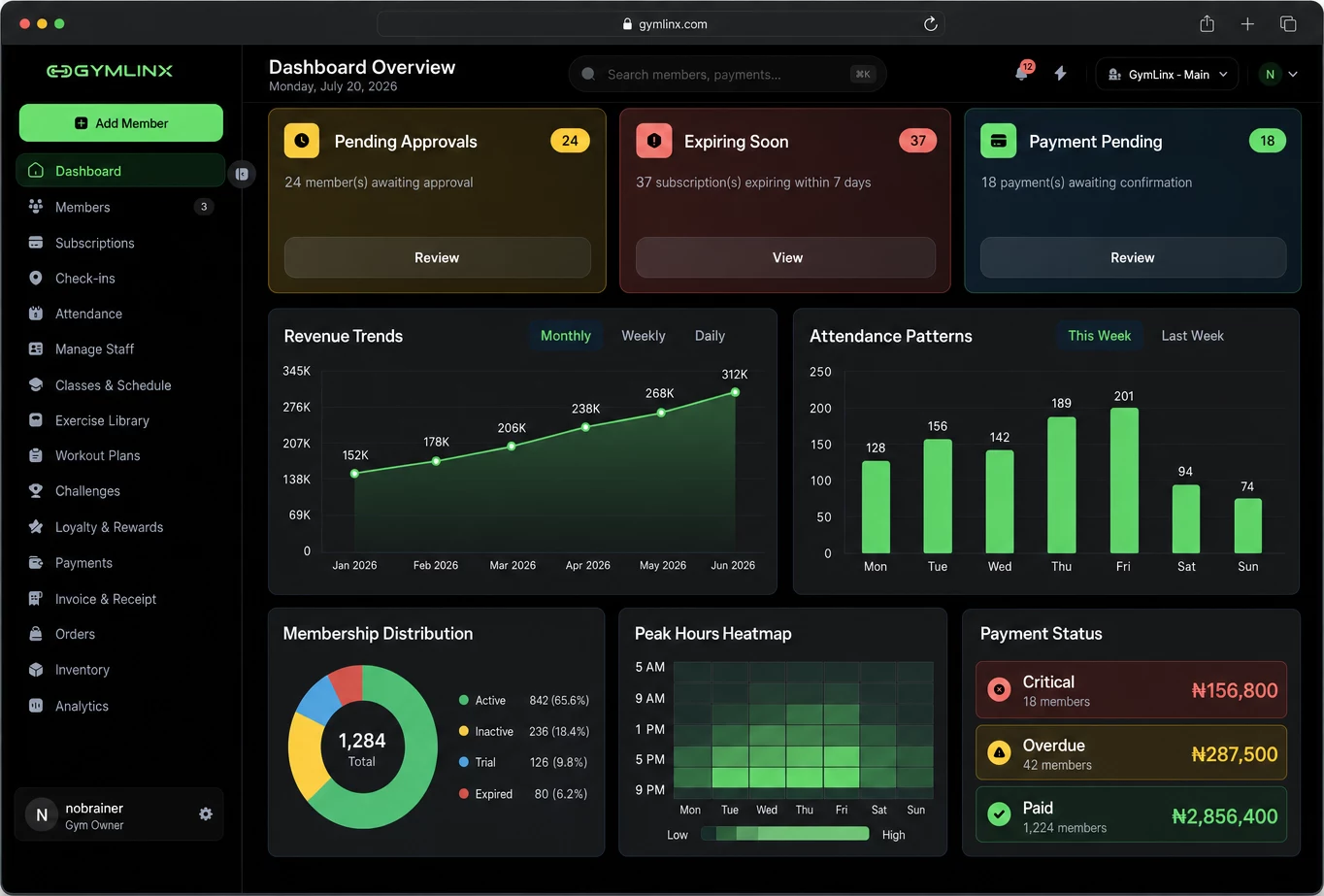
- 1Expiring soonMemberships ending in the next 7 days, so the desk knows who to call.
- 2Payment pendingPayments waiting for a staff member to confirm them.
- 3Payment statusOverdue and critical balances, with how many members each covers.
Product proof, not popularity claims
Every screenshot on this page is the real GymLinx dashboard.
We’re early, so you won’t find a wall of customer logos or a member count here. You’ll find the screens your front desk would use on Monday, and a free plan to try them with your own members.
Screens show the current GymLinx product with sample data. Results depend on how each gym configures and uses its process.
A day at the front desk
What your team does in GymLinx, from opening to lock-up.
06:00
Doors open. Members check in.
Members tap Check In on the app. GymLinx checks they’re at the gym and the request lands on your dashboard for the desk to approve. Forgot their phone? The desk checks them in by name or code.
- Mobile and staff-assisted check-ins in one log
- Duplicate attempts and expired memberships flagged
- Today’s attendance, with who checked in whom
Animated walkthrough of the check-in flow, recreated with sample data. 12:00
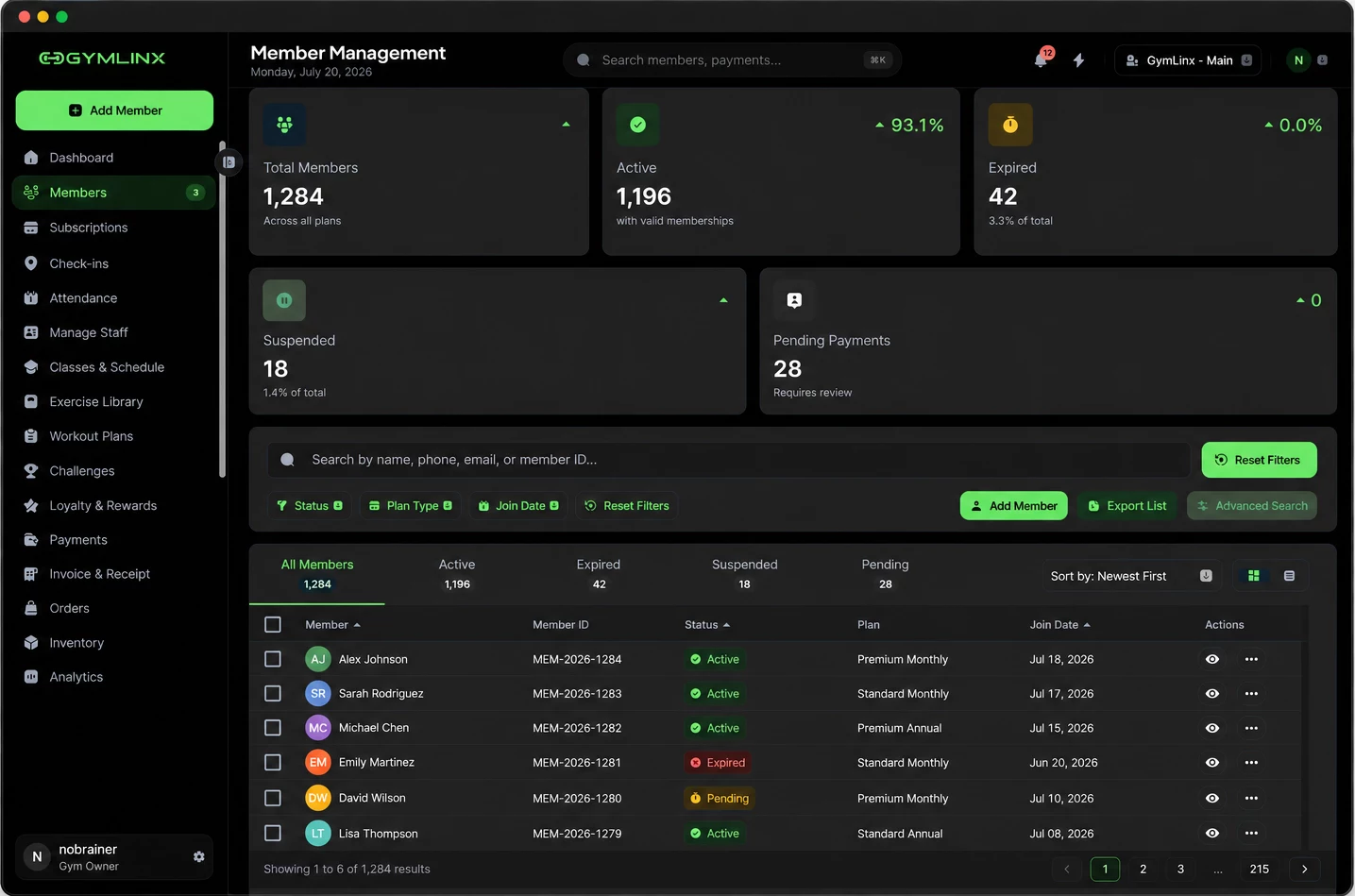
See who’s active and who’s lapsed.
Every member, their plan and their status in one list. Filter to the expired and pending ones and work through them.
- Active, expired, suspended and pending at a glance
- Search by name, phone, email or member ID
- Export the list when you need it elsewhere
20:00
Close the day with the money straight.
Cash recorded at the desk and card payments through Stripe or Flutterwave land in the same place, so you can see what’s paid and what’s overdue before you lock up.
- Cash records alongside online payments
- Overdue and critical balances by member count
- Invoices and receipts for each payment
Also in the dashboard: branches, staff roles and permissions, classes and schedules, announcements to members, and invoices and receipts.See every feature
Pay As You Grow
$0 a month to start. A small fee only when a member pays.
Plan prices are in USD. On online payments the service fee is taken at checkout. On cash and your own gateway it goes on your monthly GymLinx invoice.
Free
For a small gym starting with the core member workflow.
$0/month
+ 4% per paid membership
- Up to 50 active members
- 1 branch
- 3 staff accounts
- Up to 15 membership plans
Starter
For an established gym growing its member base and team.
$5.99/month
+ 3% per paid membership
- Up to 350 active members
- Up to 2 branches
- Up to 8 staff accounts
- Up to 30 membership plans
Growth
RecommendedFor growing multi-branch gyms that need advanced controls.
$9.99/month
+ 2.5% per paid membership
- Up to 2,500 active members
- Up to 5 branches
- Up to 25 staff accounts
- Unlimited membership plans
Enterprise
For larger organisations that need custom scale and support.
From$19.99/month
+ From 1.7% per paid membership
- Unlimited active members
- Unlimited branches
- Unlimited staff accounts
- Unlimited membership plans
How members pay: by card through Stripe or Flutterwave, or in cash at the desk. Managed online payments support Stripe and Flutterwave. Cash and verified BYO Stripe or Flutterwave payments follow the GymLinx Pay As You Grow billing rules shown before activation.
Compare every planWhat would GymLinx cost your gym?
Enter your numbers. The estimate uses the plan prices and service fees above.
Your membership income: $3,600.00 a month. The service fee is added on top at checkout, so members pay it and you keep the full membership price.
| Plan | Service feeadded at checkout | You pay GymLinxper month | Members payin total, per month |
|---|---|---|---|
| FreeNot available: Free covers up to 50 active members | — | ||
| Starter | $5.99plan price | $3,708.00 | |
| GrowthLowest overall | $9.99plan price | $3,690.00 | |
| Enterprise | from $19.99plan price | from $3,661.20 | |
An estimate, not a quote. It assumes every active member pays once a month. “Lowest overall” compares the plan price plus service fees. Your own gateway is available on Growth and Enterprise. Enterprise starts at the price shown and is agreed with sales. Payment provider processing fees are separate and shown at checkout.
Switching
Try it on one problem before you move the whole gym.
01
Pick the job that hurts most
Late renewals, a paper sign-in book, cash you can’t reconcile at the end of the week. Start with that one.
02
Run it with real members
Add a small group of members and let your manager or front desk use GymLinx for that job for a few weeks.
03
Keep what works
If the team gets through the day faster, move the next job over. If it doesn’t help, stop. The free plan costs $0 a month.
Already have a member list? Bring it.
- 1Upload a CSV or paste up to 500 member emails.
- 2GymLinx finds the people who already have a GymLinx account.
- 3Pick a plan for each of them, or one plan for everyone, and add them.
Members who don’t have the GymLinx app yet can download it and join your gym from there.
Member app
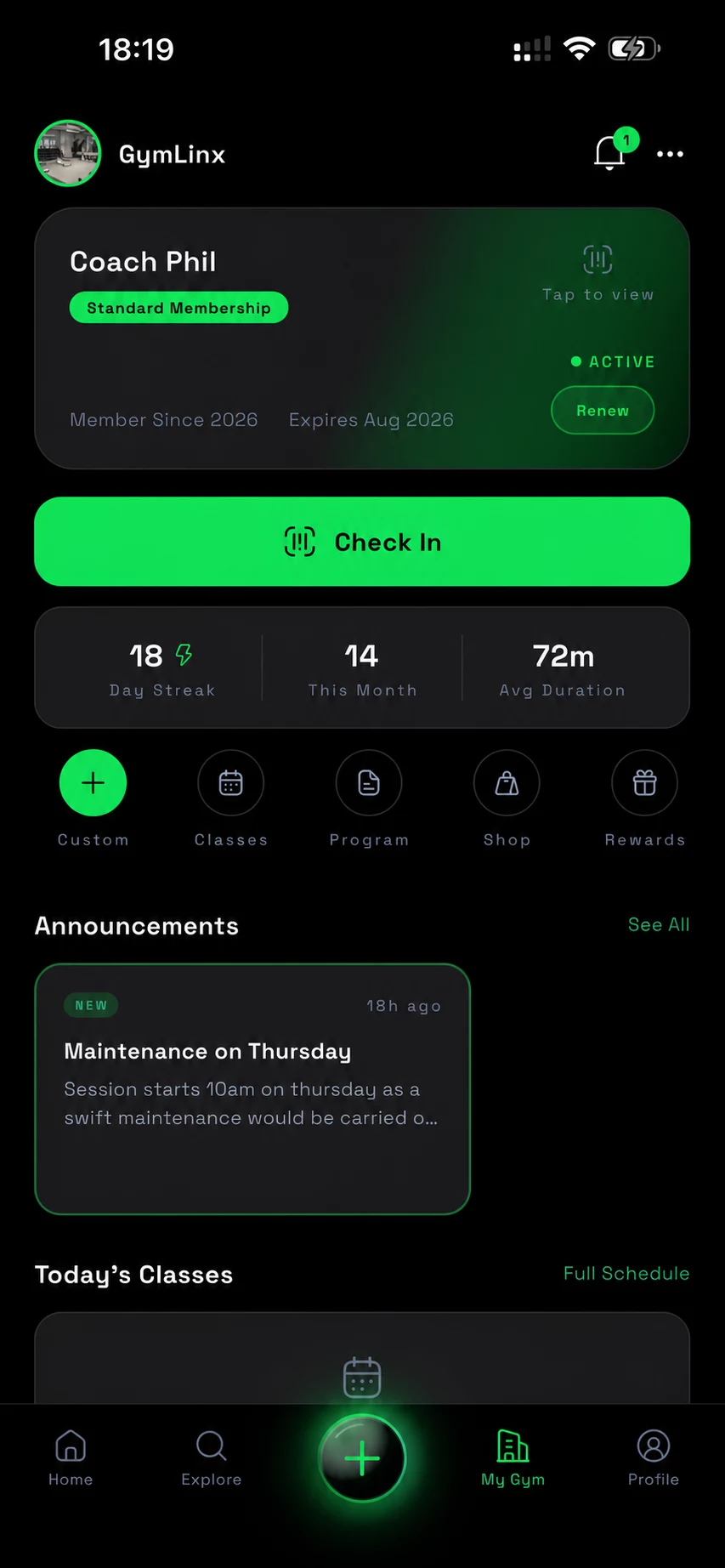
Your members get an app too.
Members see their membership, check in at the door, read your announcements and find your gym. Download it from the App Store or Google Play.
Put your first 50 members on GymLinx for free.
Set up your gym, add your members and record a payment today. Upgrade when you outgrow the free plan.